
Easypanel
Self-hosted platform for deploying applications, databases, Docker services, and open-source tools on a VPS or dedicated server.
About Easypanel
Easypanel is a self-hosted platform for deploying and managing applications on a VPS or dedicated server. It can run custom applications and more than 750 preconfigured open-source services while keeping workloads on infrastructure selected by the user.
Applications can be connected to GitHub for automatic deployment after new commits. Its deployment pipeline builds a container image, performs a health check, and routes traffic to the new version using a zero-downtime swap. Automatic SSL and two-factor authentication are also included.
Easypanel treats PostgreSQL, MySQL, MongoDB, and Redis as dedicated service types. It also supports App, Box, Compose, and WordPress services, alongside Docker images and Git-based source deployments.
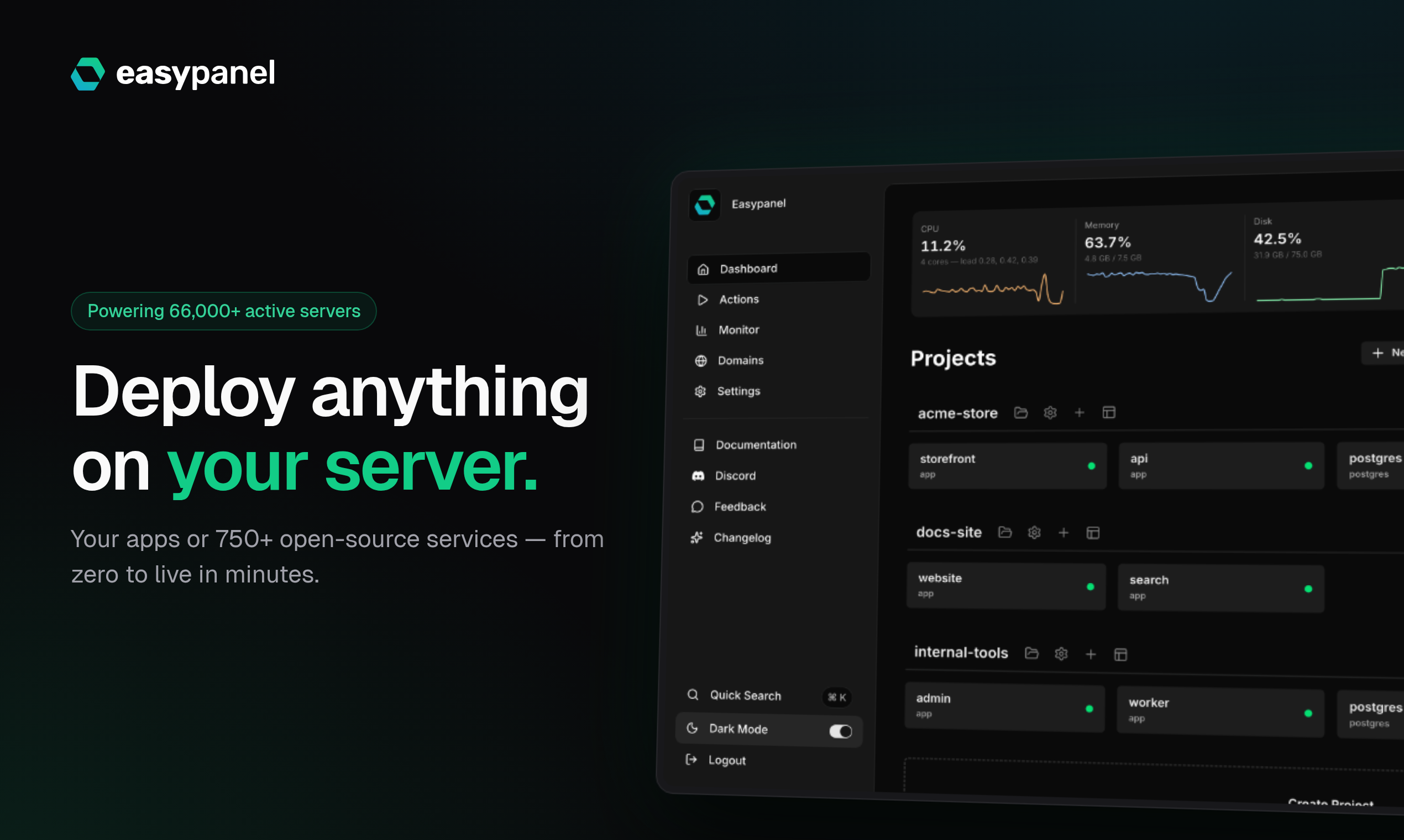
Operational tools include per-service CPU, memory, disk, and network monitoring, plus built-in logs and shell access. Paid capabilities include advanced monitoring, notifications, database and volume backups, multiple users, project-level access control, and business-plan white-labeling.
Features
- Deploy from GitHub, GitLab or Bitbucket
- Automatic SSL certificates and resource monitoring
- Database management, logs, browser shell and automated backups
- Backs up applications, volumes, and databases with one-click restoration
- Offers a bearer-token API with endpoints for projects, services, domains, backups, metrics, users, and updates
Use cases
- Run an application and its database on your own server
- Deploy n8n, Supabase or WordPress from one-click templates
- Manage Docker images and Docker Compose services
- Install more than 750 preconfigured open-source services on personal infrastructure
- Give team members project-level access under the Growth plan
Screenshots
Frequently asked questions
Is Easypanel open source?
Easypanel is proprietary software, with free and paid plans.
Can I deploy Docker services?
Yes. Easypanel supports Docker images and Docker Compose services on your server.
What operations can I manage in the browser?
You can inspect application logs, use a browser shell, manage databases, monitor CPU, memory and disk usage, and configure automated backups.
Is there a refund policy?
Paid plans include a 30-day money-back guarantee.
Which payment methods are accepted?
Payments are processed through LemonSqueezy, with support for major cards, PayPal, and additional payment methods.
What we verified
- Public API?
- Yes, a documented bearer-token API
- Self-hostable?
- Yes, installed on the user’s own server with Docker
- Free tier without a credit card?
- Yes
- Pricing model?
- Free tier and per-server monthly subscriptions
- Price?
- Free; Hobby $10.90, Growth $16.90, and Business $29.90 per server per month
- Data region / hosting location?
- User-selected VPS or dedicated server
- Named integrations?
- GitHub, AWS S3, Google Drive, Dropbox, and Cloudflare Tunnel
Could not be verified
- A guaranteed uptime SLA, paid-support response times, backup encryption specifications, and vendor-operated data residency commitments were not stated.
0 comments
Sign in to leave a comment.
No comments yet. Say something useful and be the first.