

MiniMax H3 - Create 2K AI Videos from Text & References
MiniMax H3 creates 4-15 second AI videos from text, frames, images, video, and audio references
About MiniMax H3 - Create 2K AI Videos from Text & References
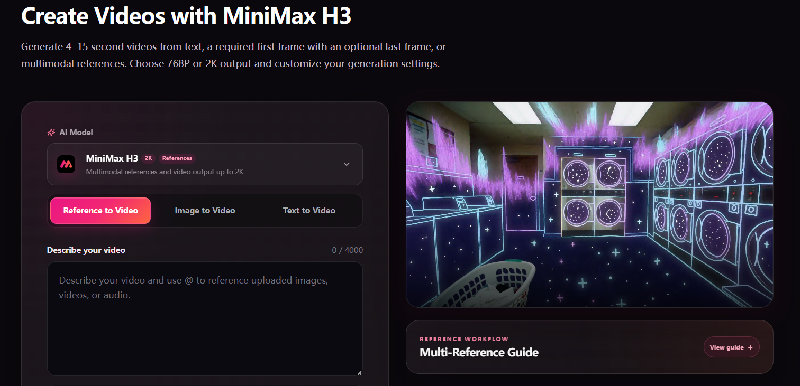
MiniMax H3 is an independent third-party AI video generator for creating short videos from prompts and reference media. The homepage describes text-to-video, image-to-video, first-and-last-frame control, and multimodal reference workflows with output up to 2K.
The generator accepts text prompts plus optional image, video, or audio references. Users can choose 768P or 2K output, set a 4-15 second duration, and select aspect ratios including 21:9, 16:9, 4:3, 1:1, 3:4, and 9:16.
Reference limits are clearly listed on the page. It supports up to 9 reference images, up to 3 reference videos totaling 15 seconds, up to 3 audio files totaling 15 seconds, and up to 12 total materials across reference types.
The pricing page uses one-time credit packs instead of subscriptions. MiniMax H3 costs 9 credits per billable second at 768P or 14 credits per billable second at 2K, and the site says purchased credits never expire.
Features
- Generate 4–15 second videos up to 2K resolution
- Use text, first/last frames, images, video, and audio references
- Guide motion, camera moves, and visual style via prompts and references
- Reference uploads allow up to 9 images, 3 videos totaling 15 seconds, and 3 audio files totaling 15 seconds
- Paid credit packs include watermark-free downloads and commercial use under the site terms
Use cases
- Turn static product images into short video ads with controlled camera moves
- Create character motion sequences for game and anime concept development
- Visualize shot direction and mood for film previsualization before filming
- Generate social video concepts for Reels, Shorts, TikTok, and other channels
Screenshots
Frequently asked questions
Can MiniMax H3 create videos from just text?
Yes. You can enter a prompt describing the scene's subject, actions, lighting, and camera movement to generate a video.
What types of reference materials can I upload?
You can upload images (JPG, PNG, WEBP, HEIC), videos (MP4, MOV), and audio (WAV, MP3) as references to guide video generation.
How long can the generated videos be?
Generated videos can be between 4 and 15 seconds in duration.
Do purchased credits expire?
No. The pricing page says purchased credits remain in the account until used
What is the refund window?
Eligible purchases may be refunded within 7 days if no more than 10% of purchased credits have been used
0 comments
Sign in to leave a comment.
No comments yet. Say something useful and be the first.