

Pilla
AI work management platform for turning deskless team procedures into workflows, checking completion, recording evidence, and automating follow-up.
About Pilla
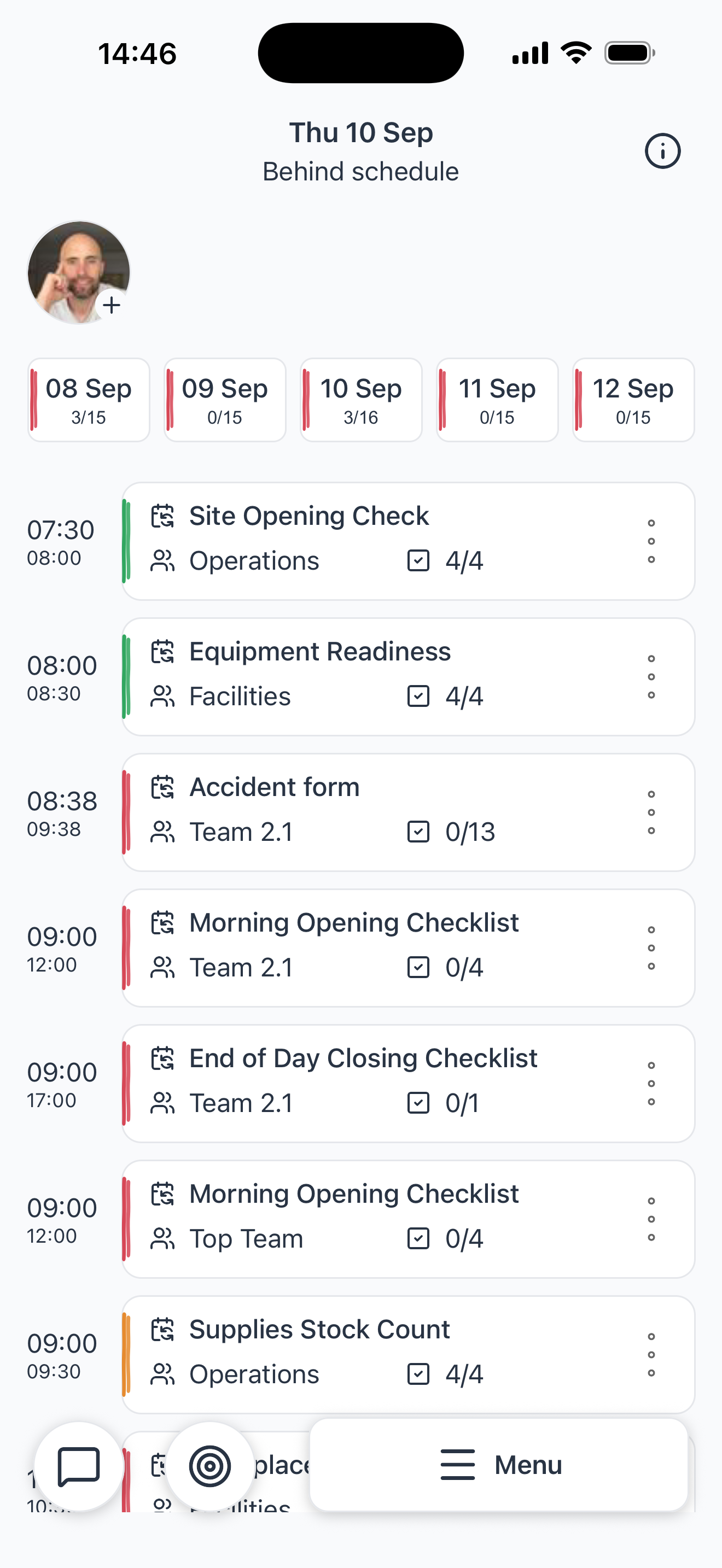
Pilla is an AI work management platform for deskless industries. It turns existing procedures into structured workflows with scheduled steps that employees can follow on mobile, tablet, or the web.
Workflows can include instructions, checklists, text, numbers, date and time fields, locations, ratings, photos, videos, audio, files, and signatures. Teams can capture evidence beside the work and keep each response, reading, photo, and sign-off connected to the relevant workflow run.
Pilla can build and edit workflows, schedule and assign work, check submitted answers against configured rules, create decisions and branches, and trigger follow-up actions. It can also send team-chat messages or update connected systems when a workflow needs attention.
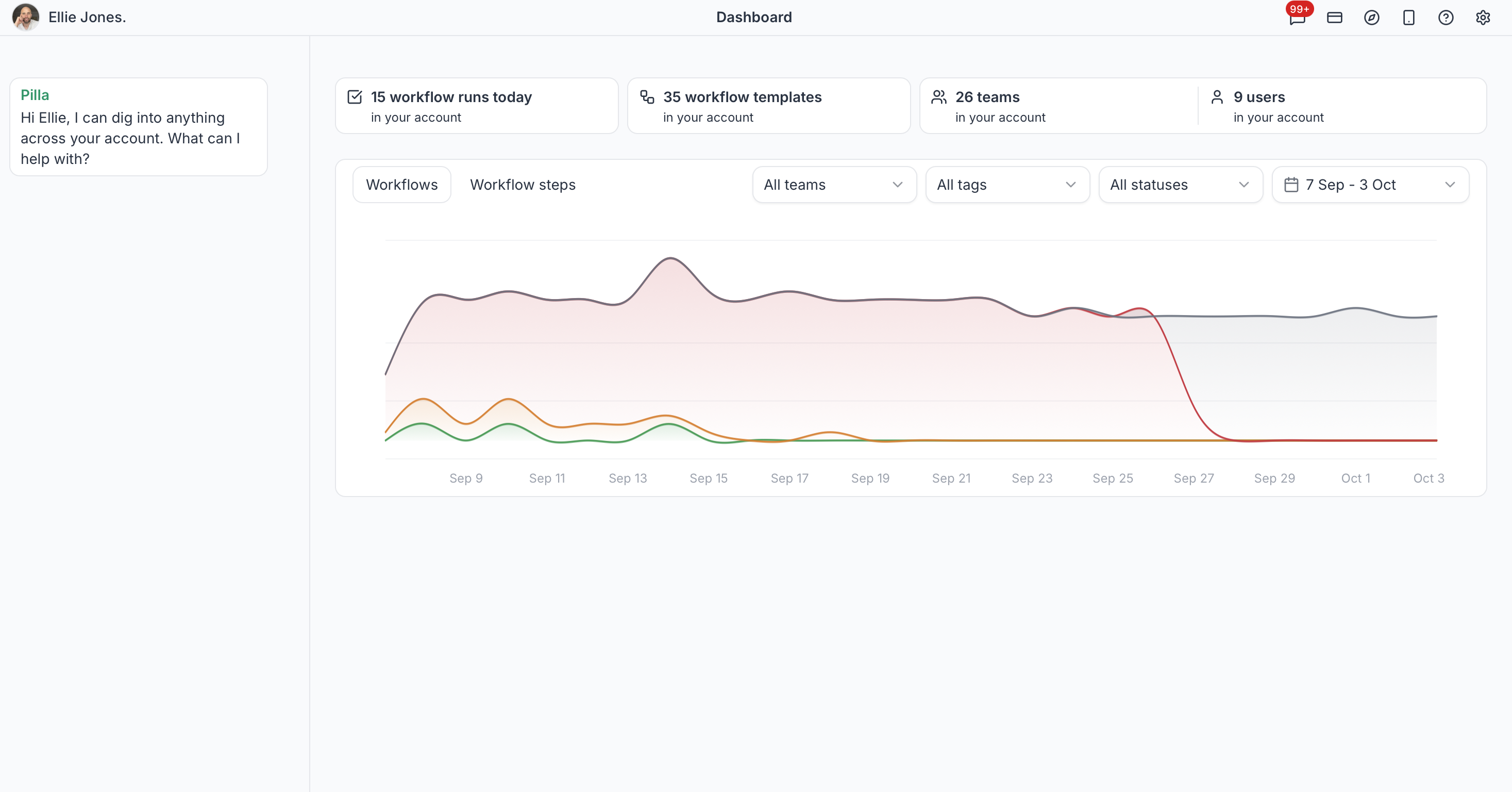
Each workflow run creates a record showing what finished on time, what ran late, and what was missed. Managers can review trends, identify recurring gaps, compare teams or locations, and use the findings to improve procedures. The platform lists Microsoft Teams, Slack, Google Docs, REST API access, and an MCP server among its connectivity options.
Features
- Create workflows with over 20 step types
- Mobile and web app with offline sync
- Automated checking and follow-up alerts
- Run the same workflow on mobile, tablet, or web with manual and scheduled triggers
- - Compare on-time, late, and missed workflow runs across teams, locations, and time periods
Use cases
- Capture cleaning and inspection tasks with photo evidence
- Ensure pre-shift opening checks are completed on time
- Automate follow-up messaging if work does not meet standards
- Alert managers in Slack or Microsoft Teams when submitted work fails a configured rule
- Review recurring gaps and missed steps before changing the underlying process
Screenshots

Frequently asked questions
Can workflows be followed on mobile devices?
Yes, teams follow workflows on any device using mobile and web apps with offline support.
How does Pilla help managers stay updated on work progress?
Pilla automatically checks completed tasks against preset rules and alerts the right people when follow-up is needed.
Can the platform handle media like photos and videos?
Yes, it supports media capture, uploads, storage, and processing for photos and videos within workflows.
Are users charged individually?
No. Users are unlimited on the listed plans, and billing is based on processed workflow volume.
Who controls employee personal data?
The employer paying for Pilla is the data controller, while Pilla acts as the data processor.
What we verified
- Public API?
- Yes, REST API and MCP server are listed
- Self-hostable?
- Not stated
- Free tier without a credit card?
- Yes, new accounts receive a 14-day cardless trial and the playground can be used without an account
- Pricing model?
- Usage-based subscription with unlimited users and processed-workflow allowances
- Price?
- The plan table lists $263 per month with 1,500 processed workflows and $0.20 per extra workflow; FAQ sections also state £199 per month, 15p per extra workflow, and Enterprise from £25,000 per year
- Data region / hosting location?
- PostHog analytics data is stored in the EU; overall hosting region is not stated and service providers may process data outside the UK
- Named integrations?
- Microsoft Teams, Slack, and Google Docs
Could not be verified
- The site does not state whether Pilla can be self-hosted, provide a complete public integration catalog, identify all infrastructure providers, specify overall hosting regions, or publish detailed REST API limits and documentation. Pricing also appears with conflicting dollar and pound amounts in different sections.
0 comments
Sign in to leave a comment.
No comments yet. Say something useful and be the first.